
Conversa WordPress plugin: embed AI chat without editing your theme
If your marketing site runs on WordPress, you have probably heard this request before: “Can we add that chat widget without breaking the theme?” Pasting HTML into footer widgets works until the next theme update. Custom code snippets feel risky. And not every site owner is comfortable opening footer.php in a child theme.
The official Conversa Widget plugin closes that gap. It outputs the same script tag from your Conversa dashboard and places it in wp_footer, just before </body> on standard themes-the same placement we recommend for manual embeds and analytics tags.
What you are installing
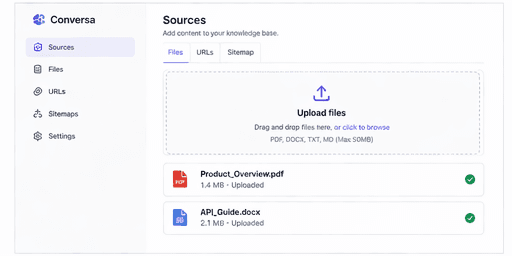
Conversa remains your knowledge base, bot settings, and conversations in the cloud. The plugin only delivers the embed on WordPress. Create a bot, add sources, click Process, set status to ACTIVE, then open Embed and copy your Bot ID (data-bot-id). Paste it under Settings → Conversa Widget and enable the widget. The default script URL is https://conversa.ng/widget.js; the settings page previews the exact tag that will load on your site.
Install in four steps
1. Download conversa-wordpress.zip from conversa.ng/docs.
2. In WordPress admin, go to Plugins → Add New → Upload Plugin, install the zip, and Activate.
3. Open Settings → Conversa Widget, turn on Enable widget, and paste your Bot ID.
4. Visit your homepage in a private window and ask a question you know is in your uploaded FAQs.
Most teams finish in under five minutes.
Compatibility
The plugin targets WordPress 6.0+. It skips admin, feeds, and oEmbed views. Block and classic themes work when they call wp_footer()-if yours does not, use a footer block with custom HTML or the manual script tag.
Troubleshooting
If visitors do not see the bubble, use the same checklist as a manual embed:
- Bot status is ACTIVE in Conversa.
- Your production domain is on the allowed domains list.
- Sources are processed and answer correctly in the dashboard.
- A caching plugin or CDN is not serving stale HTML.
Clear site cache after saving plugin settings, then test again.
Optional position
Set data-position to bottom-right or bottom-left in the plugin, or use Customize in Conversa for colors and welcome copy.
Developers using Tag Manager or a shared layout can keep the raw snippet. Everyone else gets a maintainable install: download, activate, paste Bot ID-no theme surgery.